
ShadowCode
Work with a coding agent alongside your files and terminal. Choose a local model or connect a provider, then review the commands and edits that move your project forward.
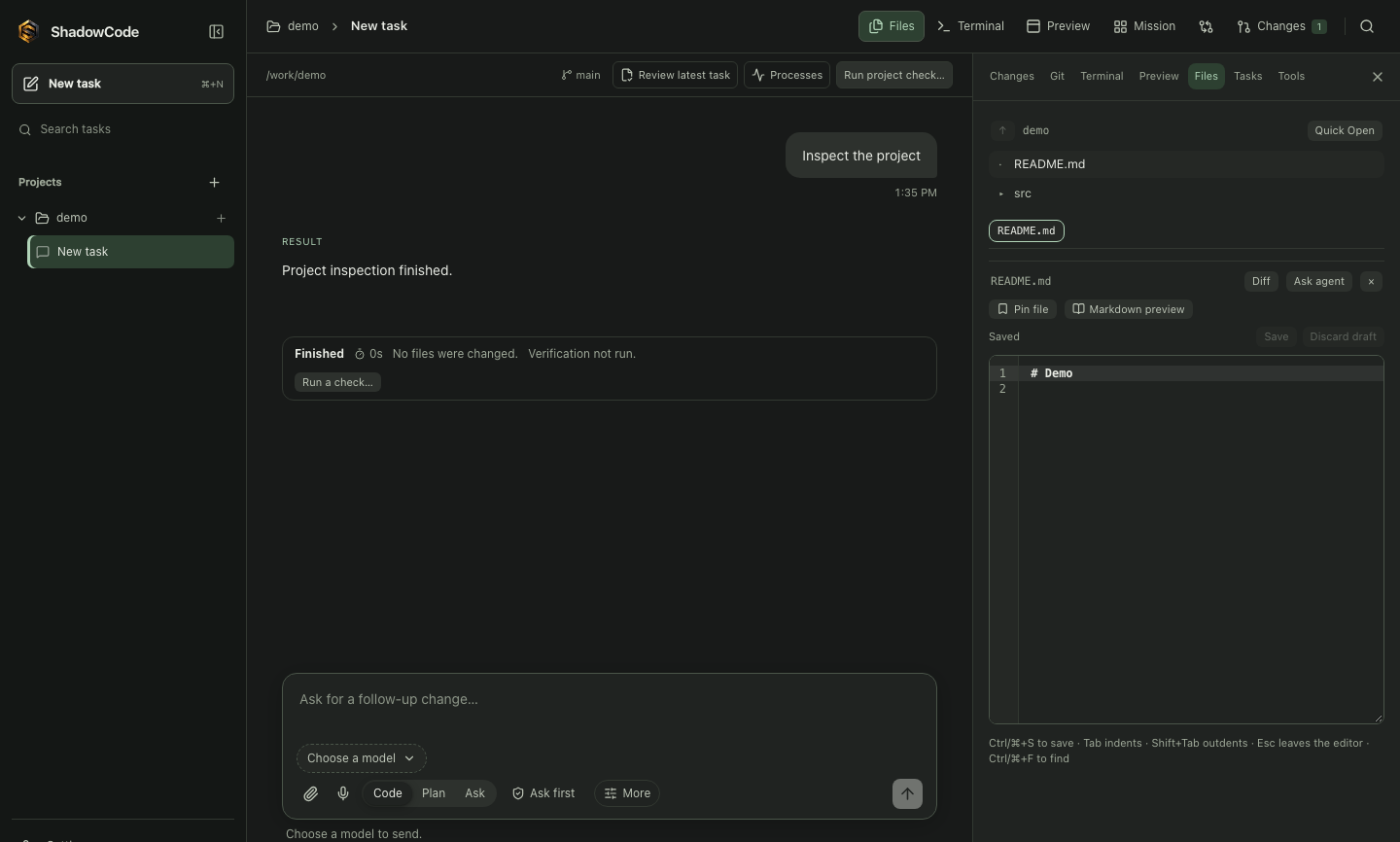
Inside the workspace
- Choose a model
- Run a supported local model on your hardware, or connect a cloud provider. The picker identifies where each model runs.
- Inspect an action
- Use “Ask before actions” to see the proposed command or file change. Review the diff and keep or undo individual changes.
- Review your work
- Filter changes by path, open your terminal beside the editor, and use the Git drawer to compare branches or prepare a pull request.
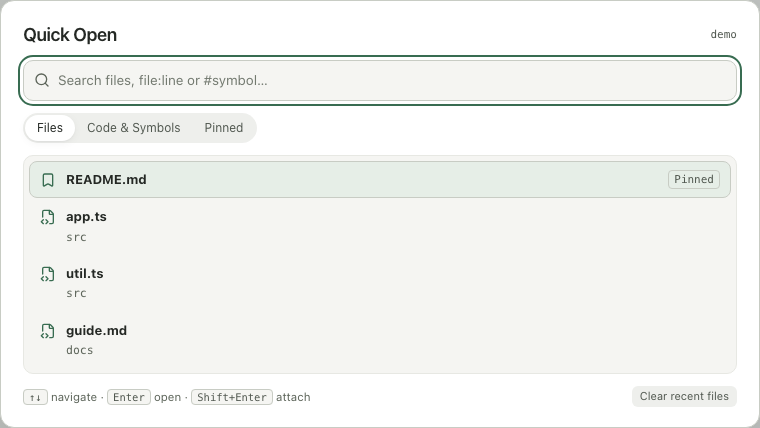
Quick Open
Search for a file, jump to a line or symbol, and pin the files you return to most. Open a file beside the conversation to inspect it as you work.
Get ShadowCode 2.7.1
Choose a build for Windows x64, Apple silicon, Intel Mac, or Linux on x64 and ARM64. The download list includes a SHA-256 checksum for every installer.