
Shadowfetch Linux 2.0.1 «Umbra»
Screenshots
The shipped desktop, captured from the release ISO. Nothing here is a mockup, a render or a composite, and no window has been rearranged for the photograph.
How these were taken
All six were captured from a live session of the 2.0.1 ISO at 1280×800, in a virtual machine. That is why the last shot reports a Virtio GPU rather than real hardware, and why the desktop still carries the installer icon. On a physical machine the desktop is identical; the hardware lines in the assistant and in fastfetch are not.
The desktop
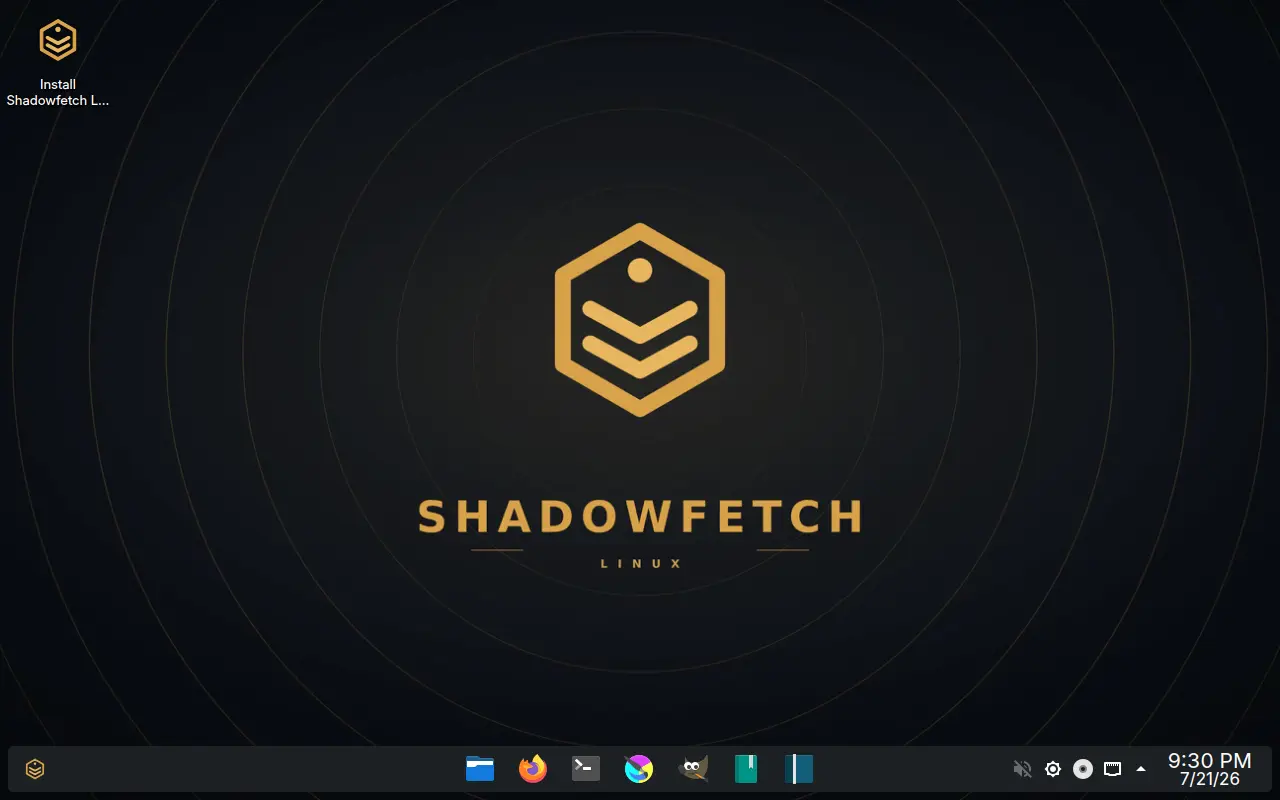
The Umbra desktop
The default desktop as it appears in the live session, before anything is installed. This is stock KDE Plasma 6 with the Umbra theme and wallpaper - a dark grey Breeze shell, gold accents, a floating bottom panel. The icon in the top-left corner starts the Calamares installer, which is how you can tell this is the USB session and not an installed system.
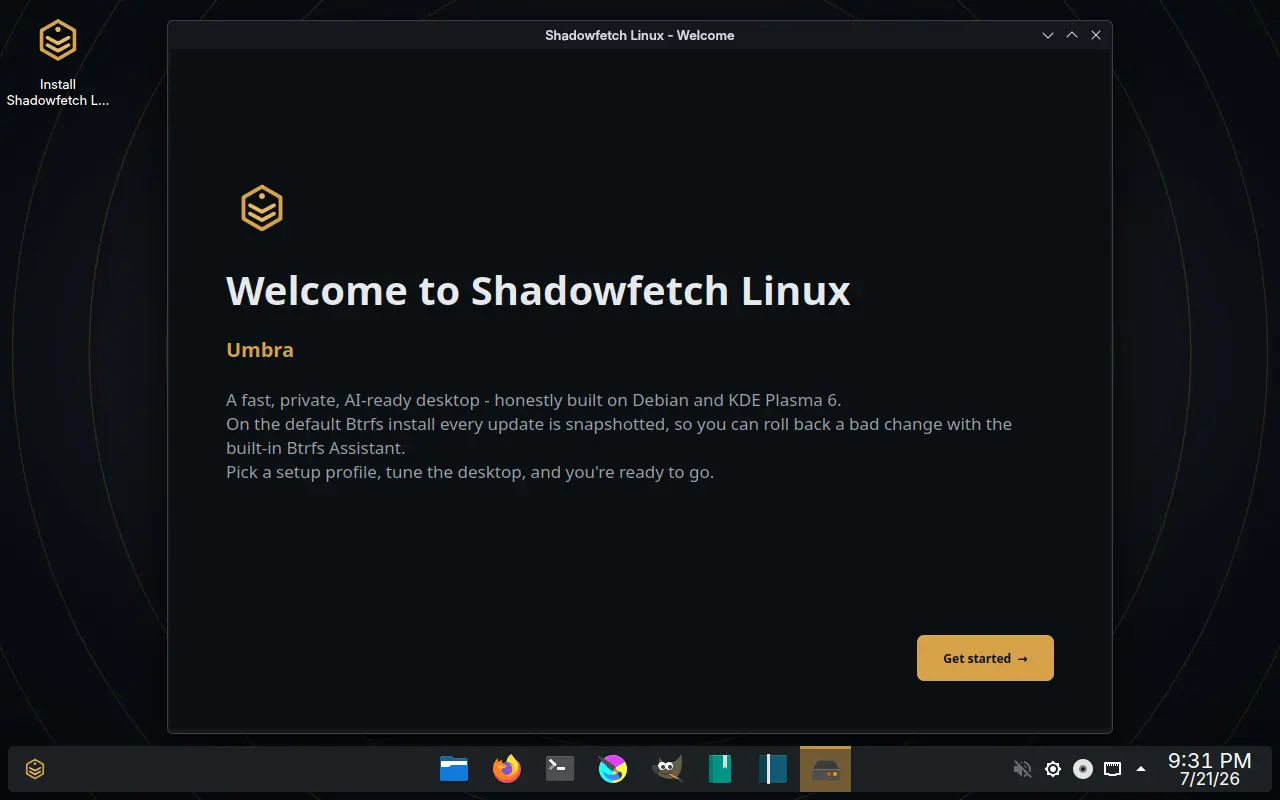
First boot
The Welcome app, which opens by itself the first time you log in. It states what the system is built on - Debian and KDE Plasma 6 - and points at the rollback story before anything else: on the default Btrfs install every update is snapshotted, so a bad change can be undone with the Btrfs Assistant. Get started leads to the setup profile, appearance and local AI steps. You can reopen it later from Control Center.
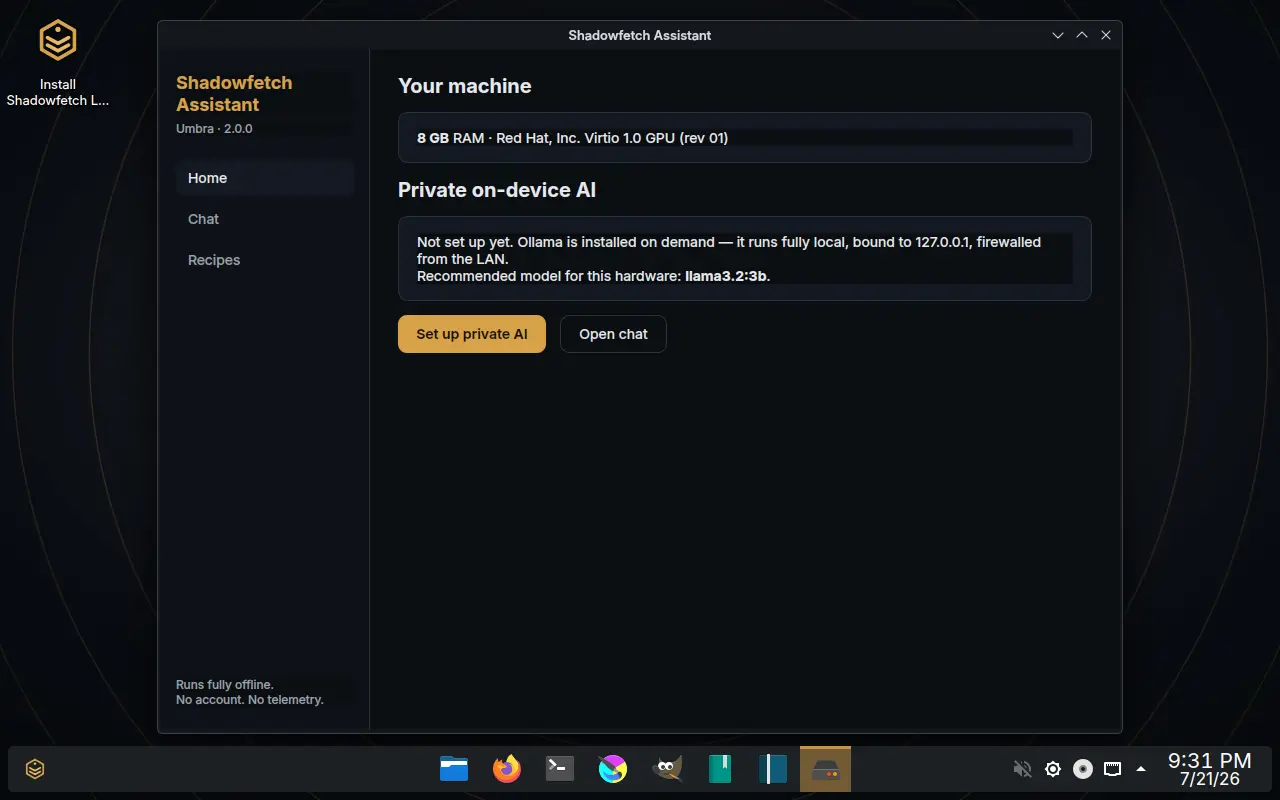
The assistant, before setup
The assistant in its out-of-the-box state, which is the honest one to show: local AI is not installed until you ask for it. It reads the hardware first and then recommends a single model that will actually run on it - here 8 GB of RAM gets llama3.2:3b, not a suggestion to download something four times the size. When you do set it up, Ollama is fetched on demand and bound to 127.0.0.1 and firewalled from the rest of the network.
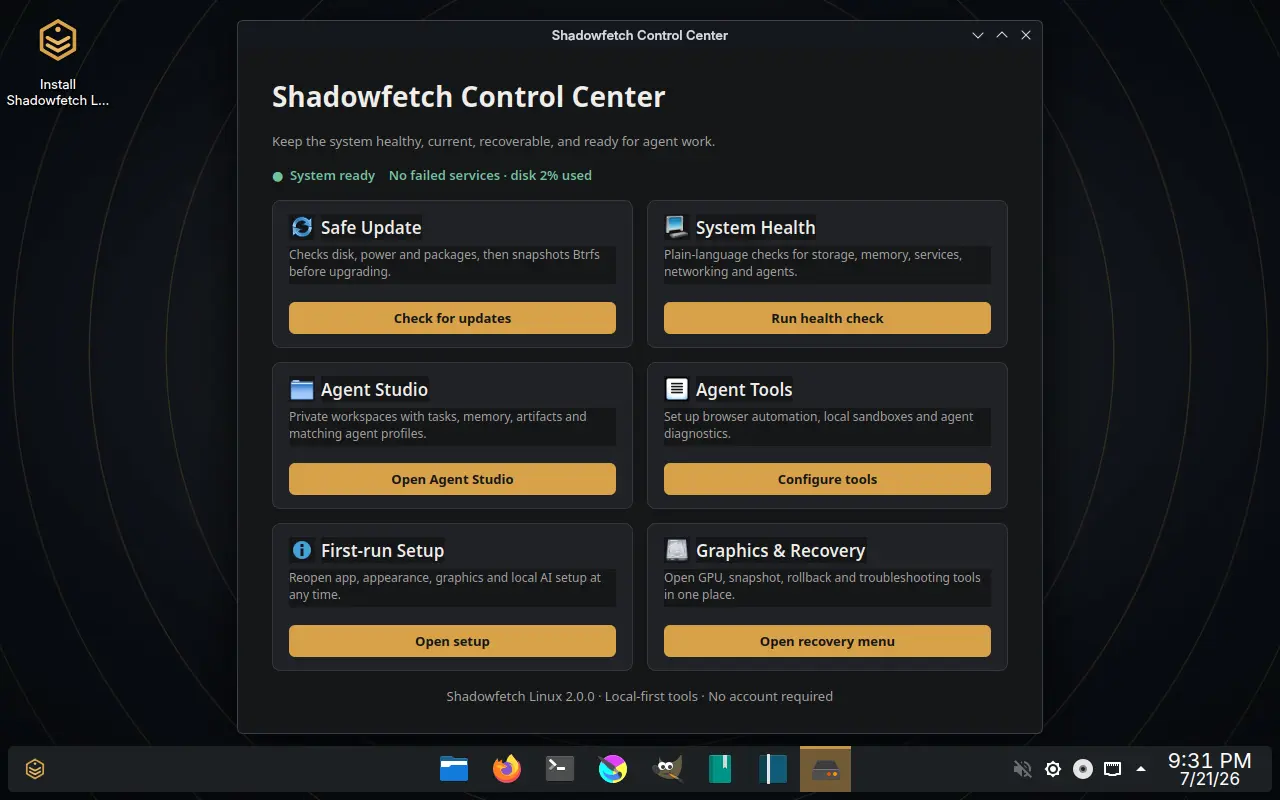
Control Center
One window for the six things that otherwise get lost in a settings tree: updates that snapshot before they run, a plain-language health check, Agent Studio and its tooling, the first-run setup you can reopen at any time, and the graphics and recovery menu. The status line at the top is the whole system summary - failed services and disk use - rather than a dashboard of gauges.
Agent Studio
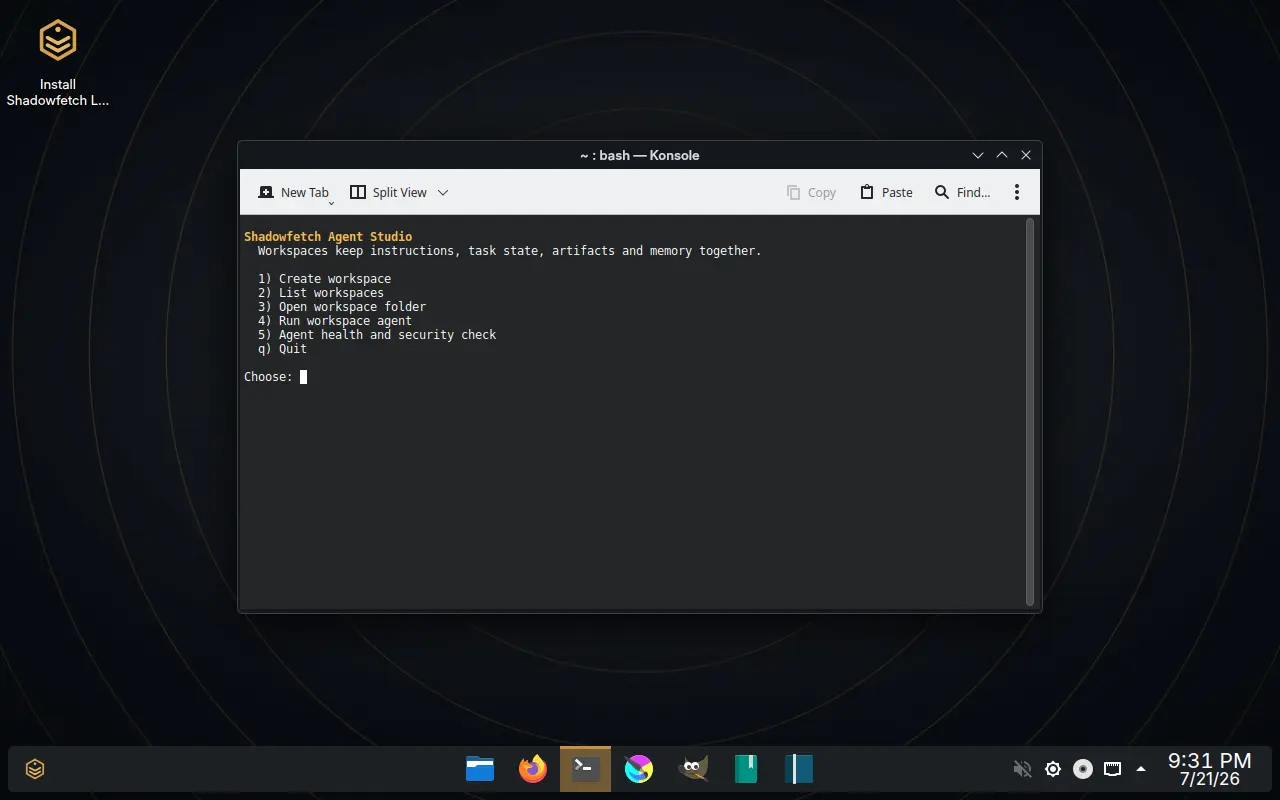
Worth being straight about: Agent Studio is a numbered text menu in Konsole, not a graphical application. It creates and runs workspaces - a folder that keeps an agent's instructions, task state, artifacts and memory in one place - and includes a health and security check for them. It is functional and scriptable rather than polished, and it is shown here as it actually is.
What it reports
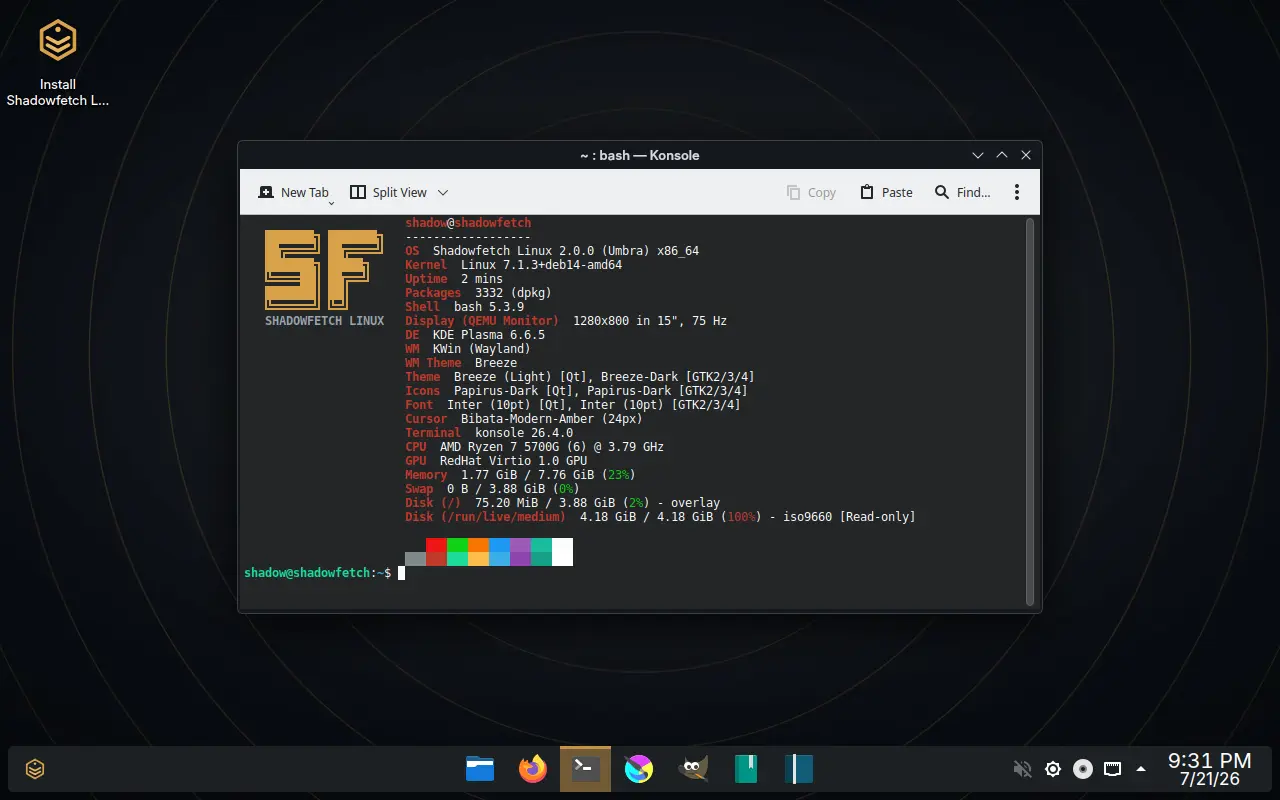
fastfetch on the shipped release, which is the quickest way to check the claims on the rest of this site against the running system: Plasma 6.6.5 on Wayland under KWin, a Debian testing kernel, 3332 packages installed. The last line is the live USB itself, mounted read-only - 4.18 GiB, the same size the download page quotes in binary units.
Using these
Reviewers and writers are welcome to use these images as they are. Please do not present them as a different release or edit them in a way that changes what the system appears to do. The Shadowfetch name and emblem stay trademarks - the terms are on the licensing page. If you need a shot of something that is not here, ask and it will be captured.