Shadowfetch Linux
Menu

Run a real AI agent on your own machine

Shadowfetch Linux is agent-ready. Pick a runtime, create a separate workspace for each job, and deliberately enable only the browser, terminal, messaging and sandbox capabilities that job needs. Agents run on your hardware; cloud providers are optional.

Quick start

Open a terminal and run:

shadowfetch-agents

This shows your choices, confirms prerequisites, and launches the agent you pick. There is also a graphical AI Agents — Get Started entry in the application menu.

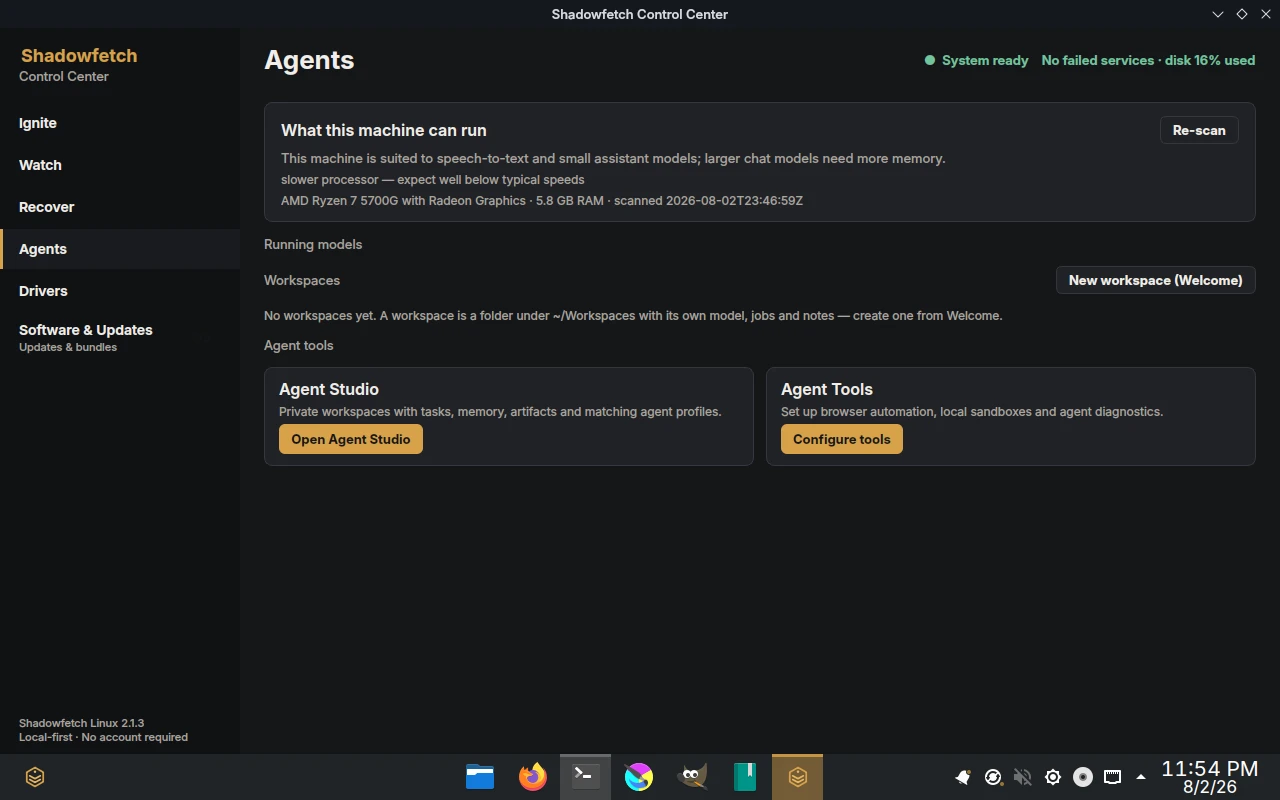
Agent Studio

Start projects with structure instead of an empty directory:

shadowfetch-agent-workspace

Agent Studio creates a private workspace with AGENTS.md, active tasks, durable memory, a dated work journal, artifacts, logs and scratch space. If Hermes is installed, it can create a separate profile and set that workspace as the profile's working directory.

Browser automation, tools and isolation

shadowfetch-agent-tools

This guided setup uses each agent's official tool flow. Hermes can configure its local browser or supported tool gateway. OpenClaw can install Debian Chromium on demand and run its managed, agent-only browser profile. Rootless Podman readiness and the effective sandbox policy are shown before you rely on them.

Run shadowfetch-agent-doctor at any time to check versions, upstream diagnostics, exposed local ports, local-model binding and sensitive configuration permissions.

Option 1 — Hermes Agent (Nous Research)

A self-improving agent: after it helps with a task it writes itself a reusable skill, so it gets better the more you use it. One agent, many profiles, and a messaging gateway (Telegram, Discord, Slack, email).

shadowfetch-hermes

Installs or updates Hermes with the official Nous Research installer, falls back to pipx if needed, then opens hermes setup. Afterwards: hermes to chat, hermes model to pick a provider or local Ollama, hermes tools to configure tools, and hermes gateway setup for messaging.

Option 2 — OpenClaw

A lightweight, friendly personal agent installed through npm — a quick, simple start that drives your local Ollama models out of the box.

shadowfetch-openclaw

Installs or updates OpenClaw into your own user account (no root needed) and opens openclaw onboard --install-daemon. Choose the Ollama provider to stay 100% local.

100% local — no cloud, no API keys

Both agents can run entirely on your hardware via Ollama. The recommended setup detects available memory, installs one model that fits, and configures local web chat:

shadowfetch-ai

The advanced catalog remains available through shadowfetch-llm when you are ready to compare more models. Then point your agent at the Ollama provider. Ollama listens only on localhost and the firewall blocks port 11434 — your models never leave the machine.

Which should I choose?

You can install both — they don't conflict.

Hermes Agent is a project of Nous Research; OpenClaw is an independent open-source project. Shadowfetch bundles their installers and the prerequisites for convenience and is not affiliated with or endorsed by either.